Defining the Future of Sales. Then Building It.
Enterprise Technology Platform (Confidential)
A two-phase engagement: first as a service designer shaping the AI-enabled future state, then back as the UX designer to build it.
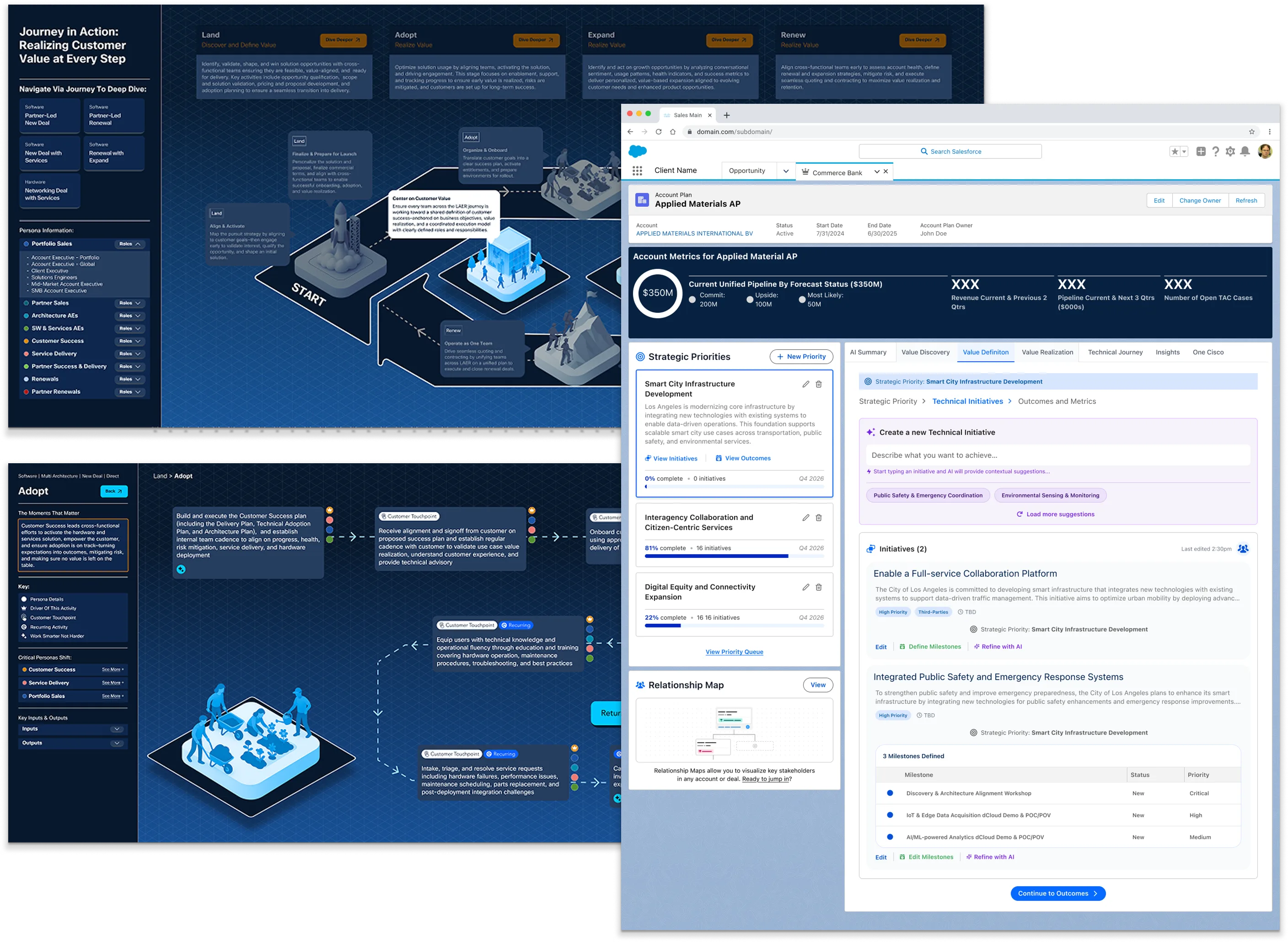
From opportunity to
system-level insight.
We entered the engagement focused on AI. What surfaced was something deeper.
Across conversations with Sales, Ops, and Engineering, it became clear the challenge wasn't about tools. It was about how teams worked. The focus shifted from introducing new technology to rethinking the system itself.
What started as a conversation about AI became a redesign of how sales operates. We introduced LAER (Land, Adopt, Expand, Renew) as the framework to structure how value is created across the lifecycle, aligning teams, workflows, and decision-making.
The future state, made visible.
Working with Sales and AI SMEs, we translated the new operating model into a concrete, navigable artifact. The map shows how value is realised at every step across the LAER lifecycle, with AI-enabled touchpoints mapped to actor, interaction type, and system ownership. L1 covers the full commercial cycle. L2 breaks each stage into its sub-processes and handoffs.
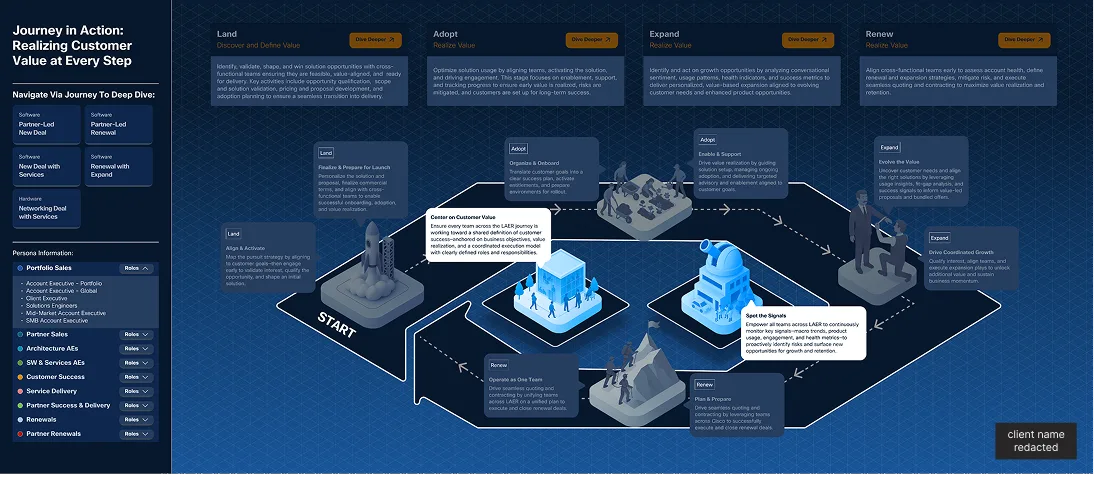
The full L1 journey across Land, Adopt, Expand, and Renew, realizing customer value at every step. Each stage has AI-enabled touchpoints mapped to actor, interaction type, and system ownership.
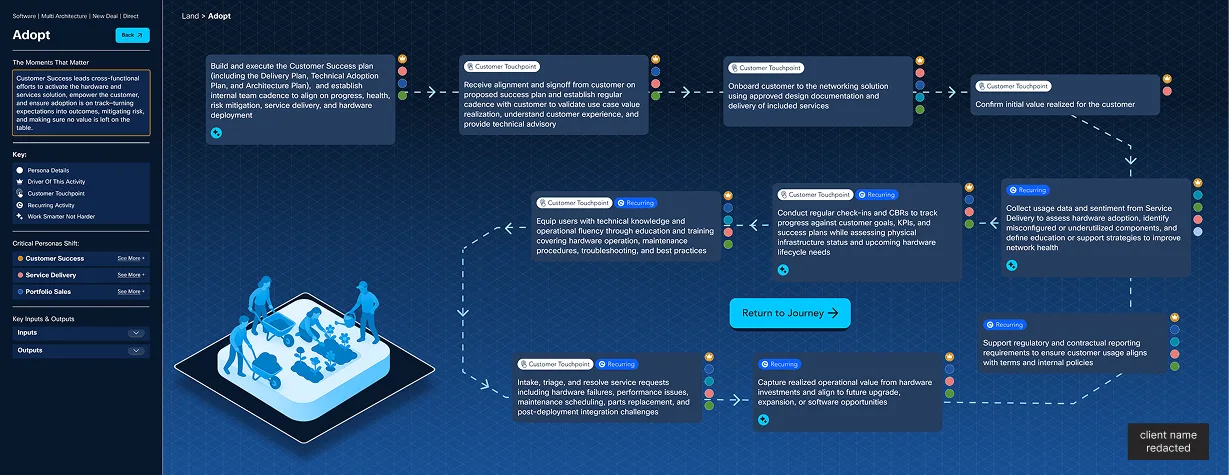
Clicking into an L1 stage expands the L2 layer: individual sub-processes with actor ownership, step type, and interaction notes. Shown here: the Adopt stage. Used as a shared alignment tool across Sales, Product, and Engineering.
The Future State, Mapped
The journey map spans the full customer lifecycle across four stages: Land, Adopt, Expand, and Renew. Select any L1 stage below to expand the L2 sub-process detail.
The journey map worked. The client came back.
The service design phase established a clear future-state direction. That clarity led to a second engagement, embedded with the internal team as UX designer to build it.
Developers were designing.
Design was cleaning up.
When I joined the internal design team, the process was broken in a specific way: developers were building screens and flows based on their own interpretation of requirements, then handing designs to UX for a redesign pass.
This created a cycle of churn. By the time design got involved, patterns had already been set in code. Redesigning them meant developer rework, schedule pressure, and friction that gradually pushed design further to the edges.
The result was an inconsistent product: different patterns solving the same problem, no shared vocabulary between teams, UX treated as a polish step rather than a foundational input.
Design at the front, not the end.
The goal was to invert the flow. Design provides the vision and the pattern, engineering builds to it. Four things made that possible.
Get ahead of the build
Established a practice of designing 1–2 sprints ahead of engineering. Design decisions were made in Figma, not in code.
Build the pattern library
Established a base design pattern library from SLDS, then adapted each component to the specific flows and interactions of the new CRM. Not just a theme. A system.
Standardize across the product
Audited existing screens and catalogued inconsistencies. Defined a single pattern for each repeated interaction: navigation, forms, data tables, empty states.
Make design a blocker (the good kind)
Worked with product to require design sign-off before any new component entered development. Design became a gate, not a review.
One place. Full context. AI throughout.
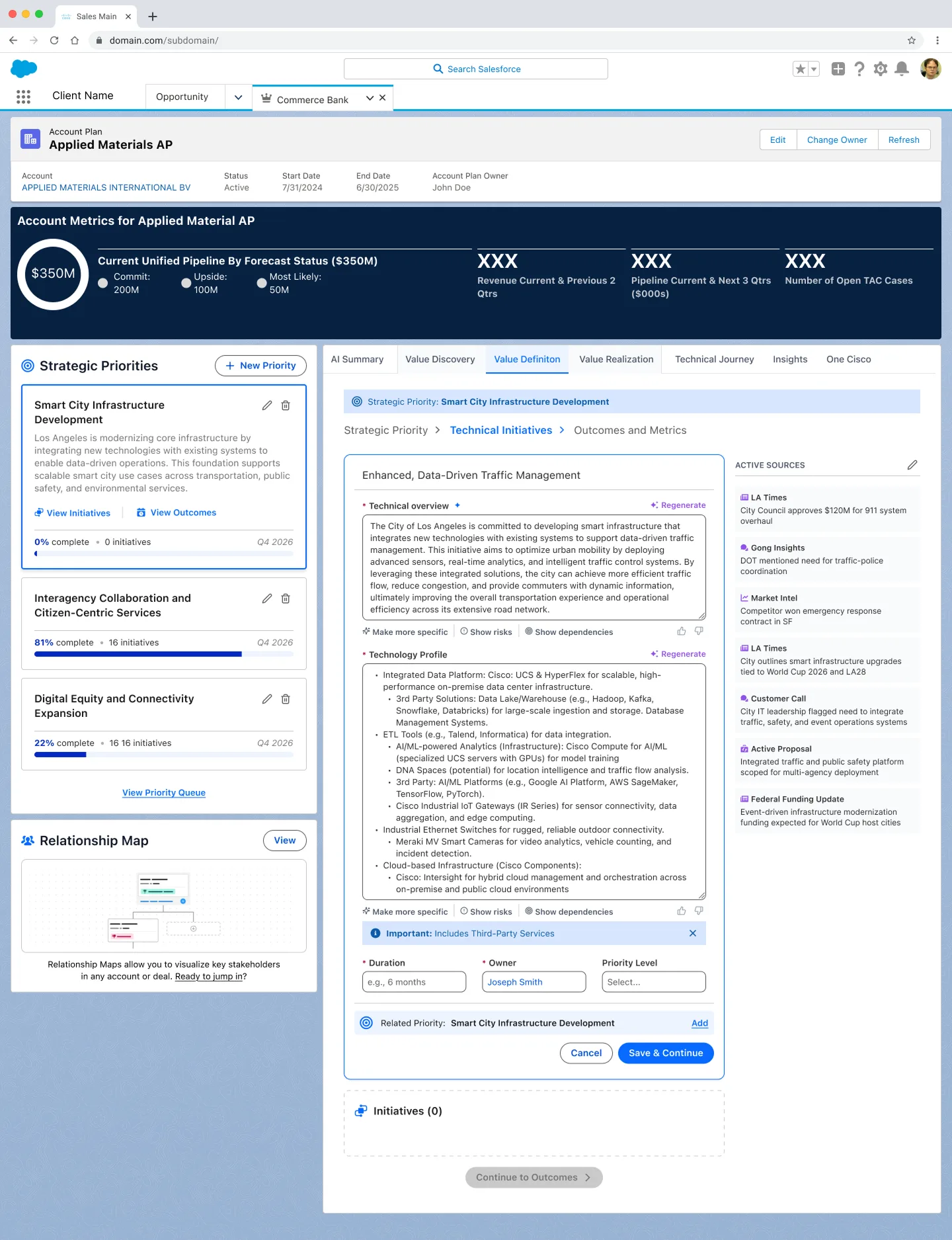
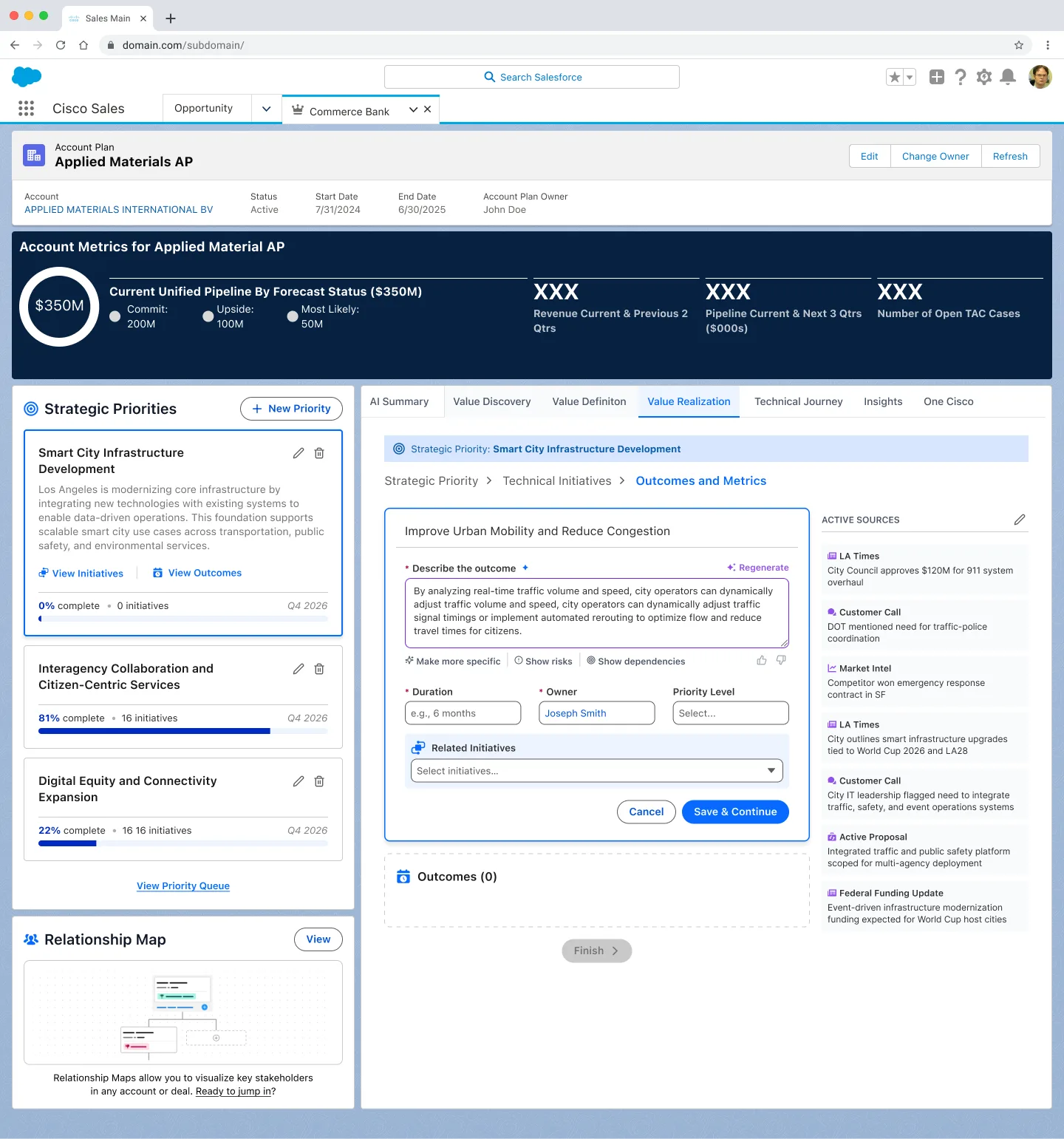
The Unified Account Plan connected the entire CRM into a single structured experience. An account executive with no prior knowledge of an account could open it and immediately understand where they are, what matters, and what to do next. AI is embedded at every layer, not as a feature added on, but as the thing that makes the experience work at all.
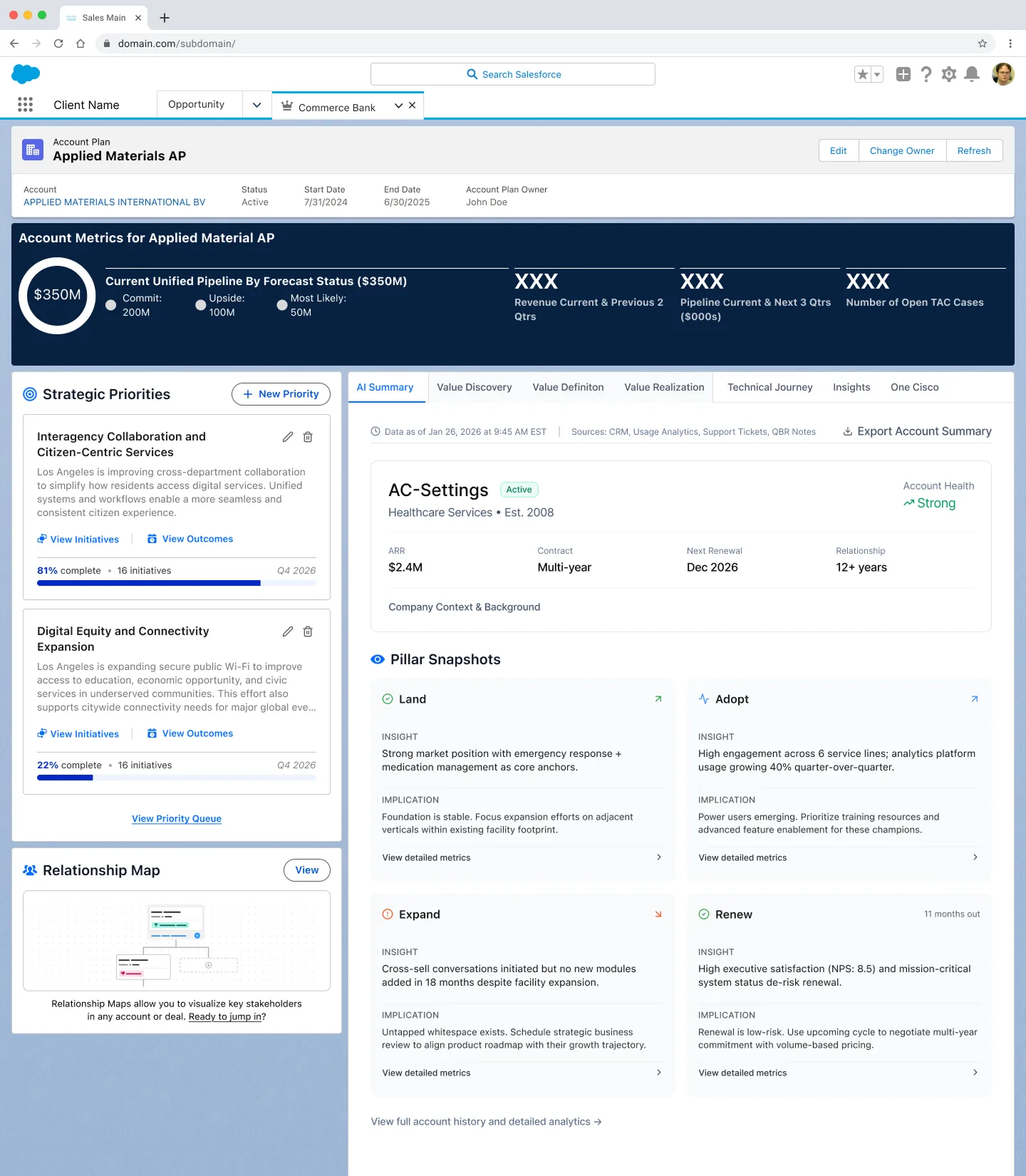
SLDS, adapted. Not just applied.
Salesforce Lightning Design System provided the foundation. But a foundation is not a product. Every component needed to be adapted for the specific flows, density, and AI interactions of the new CRM.
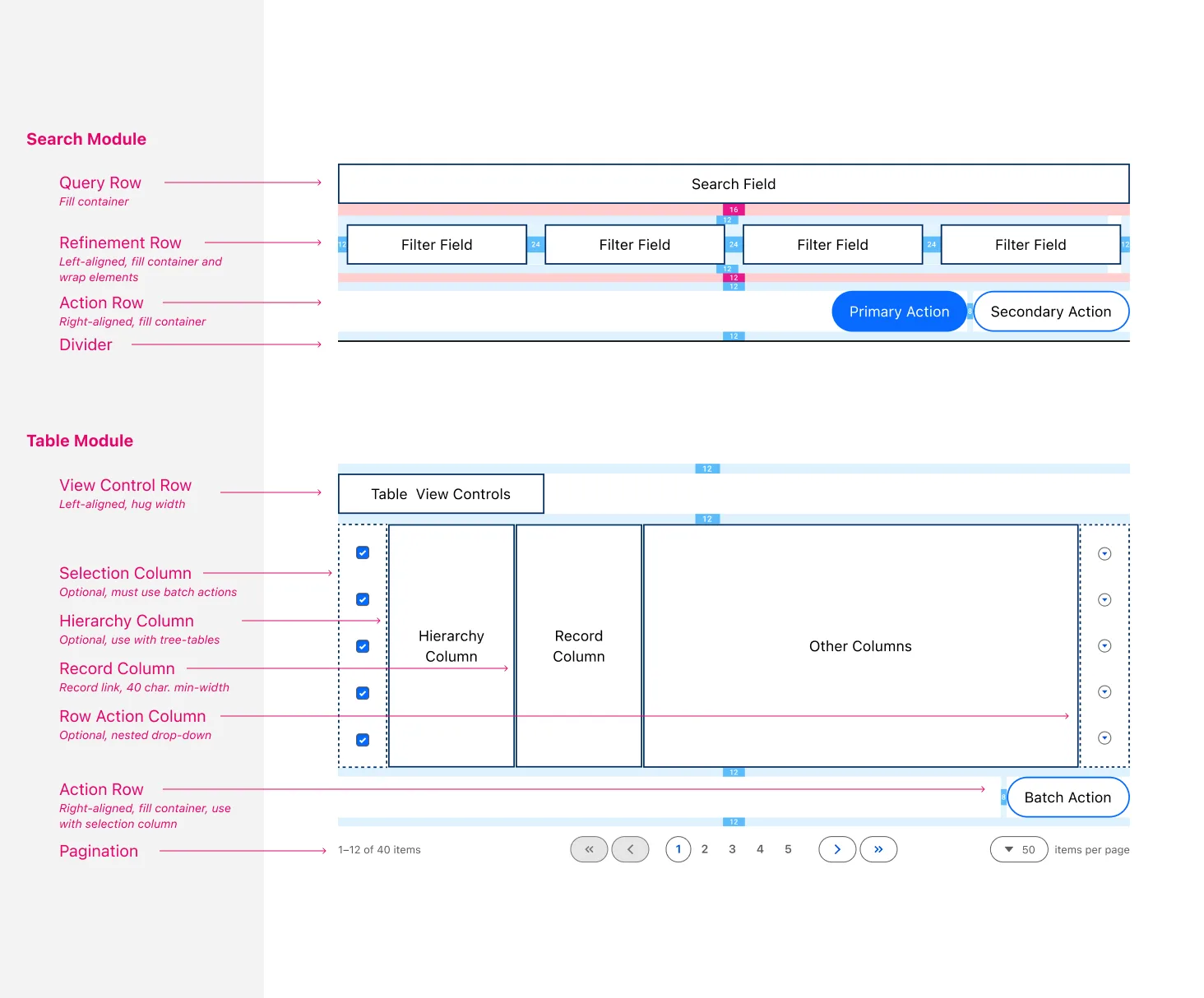
The framework spec defined the structural rules for two core modules used across every page: the Search Module (query row, refinement row, action row) and the Table Module (view controls, column hierarchy, pagination). These became the shared language between design and engineering.
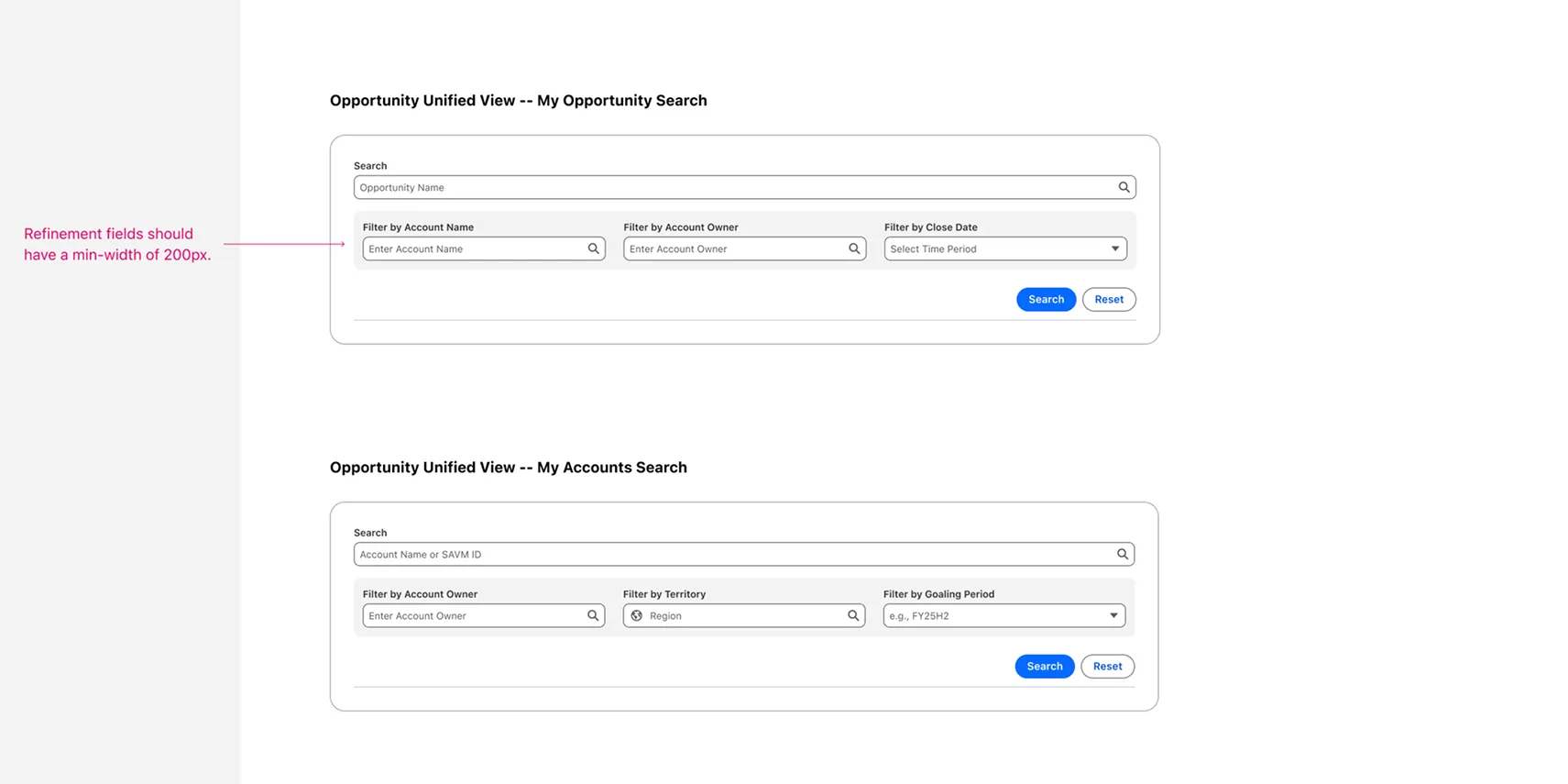
The same search module applied consistently across Opportunity Search, Account Search, and Quote View. Different data contexts, same structural pattern. Annotations visible in the specs were shared directly with engineering to enforce spacing and min-width rules.
"The pattern library wasn't just documentation. It was the agreement between design and engineering on how the product should behave."
Key Decisions
The calls that shaped how the product was built, and how design held its ground.
Design the workflow before the screen
Every major feature was mapped as a user flow before any UI work began. This kept alignment ahead of the build and prevented scope creep in components.
Standardize first, optimize later
Resisted pressure to customize individual screens. Getting consistent patterns in place, even imperfect ones, was more valuable than bespoke solutions that couldn't scale.
AI that shows its reasoning
Every AI surface was designed with a visible reason for the suggestion. Trust came from transparency, not accuracy alone.
Alignment as the output
In the absence of formal design authority, ran structured reviews and decision logs. Every major call was visible, auditable, and reasoned. That gave design decisions staying power.
What it moved
What I'd carry forward
Systems thinking is critical in enterprise design. The interface is rarely the constraint. The organizational process usually is.
Getting ahead of the build is a strategy, not a luxury. Design has the most leverage before anything is coded, not after.
Alignment is often the highest-impact deliverable. A shared pattern is worth more than a polished one-off.
Due to the confidential nature of this work, details and visuals have been adapted. Additional materials available upon request.